In short: Ayumanager PRO has a free Android app for doctors and clinic staff, available on Google Play. Log in with your Ayumanager PRO account to see today's patients, appointments and collections, search patients by name, UHID or mobile, book appointments and record income and expenses from your phone. The app uses the same records as the web software.
Most Vaidyas don't spend the whole day at the clinic desk. You may be at a second clinic, at home before the morning OPD, or between Panchakarma rounds. The questions stay the same wherever you are: How many patients are booked today? Who is coming next? How much did the clinic collect?
Clinic software on a computer answers these questions, but only when you are in front of it. A mobile app puts the answers on your phone.
This guide covers what a clinic app should do on a phone, what the Ayumanager PRO Android app shows, and how to keep patient data safe on mobile.
A phone is not a small computer. Long work, such as a detailed case paper, a Prakriti assessment or a discharge summary, is easier on a larger screen. A good clinic app focuses on the work that suits a phone:
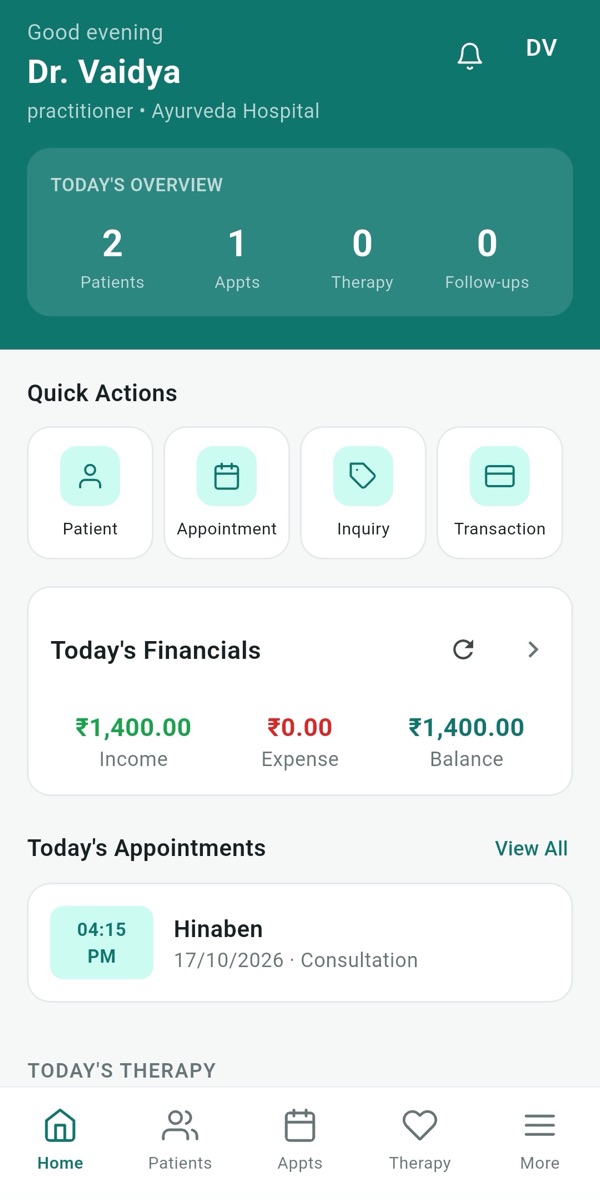
The home screen of the Ayumanager PRO app has four parts:
The tabs at the bottom open patients, appointments, therapy and more.
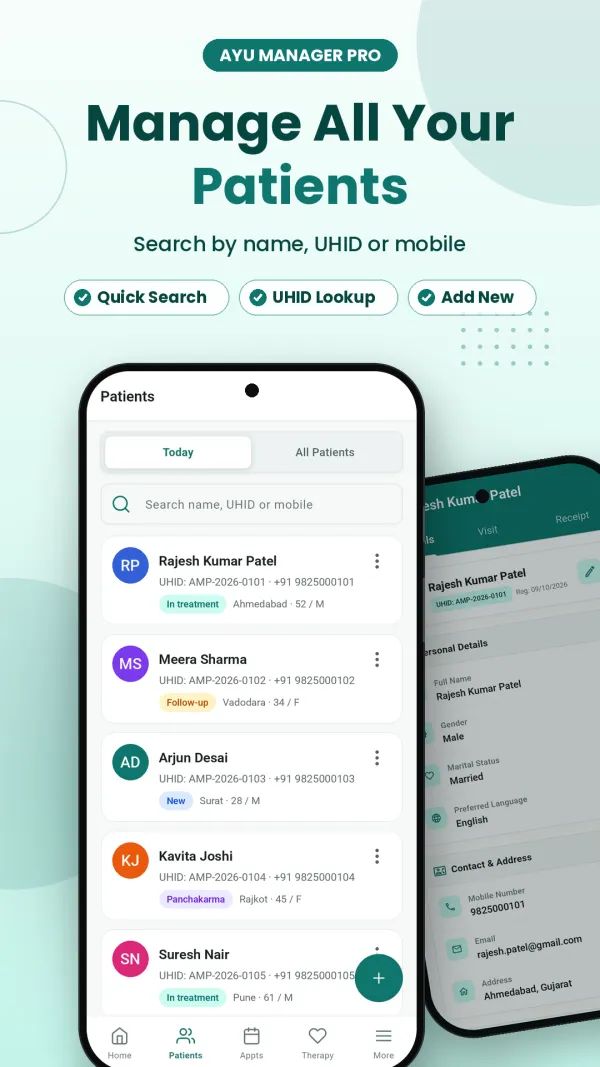
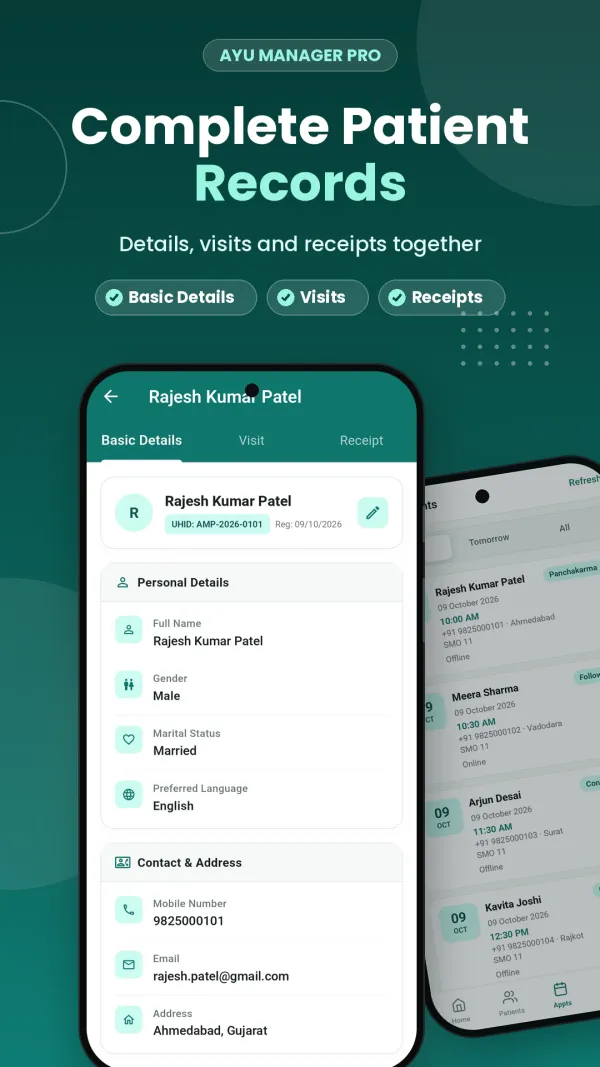
Search the patient list by name, UHID or mobile number, or switch to today's patients only. Each patient shows a status such as New, Follow-up, In treatment or Panchakarma. Open a patient to see three tabs: Basic Details (personal details, contact and address), Visits and Receipts. Use the + button to register a new patient.
See today's appointments, tomorrow's, or all of them. Each card shows the time, the doctor, the visit type (such as Consultation, Follow-up or Panchakarma) and whether the booking is online or offline. Use the + button to book a new appointment.
The Accounts screen lists every receipt and expense with its category and payment mode, such as cash or Amazon Pay. Totals for income, expenses and balance sit at the top. Change the date range to see a week or a month, and use the filter to narrow the list.
The More menu opens inquiries (patient inquiries and leads), appointments, accounts and Contact Support, where you can get help and raise a ticket from the app.
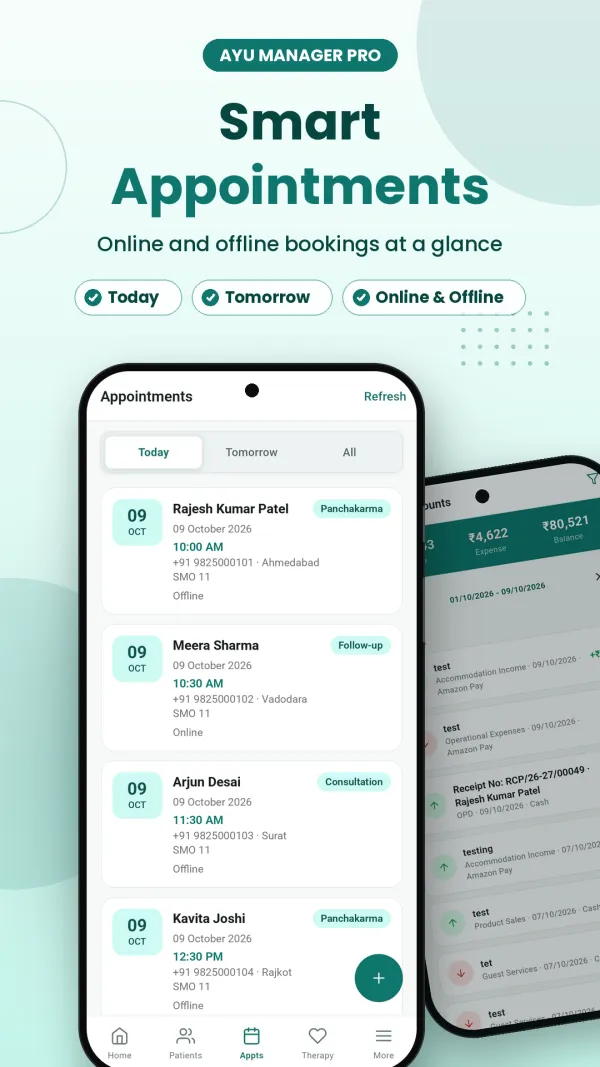
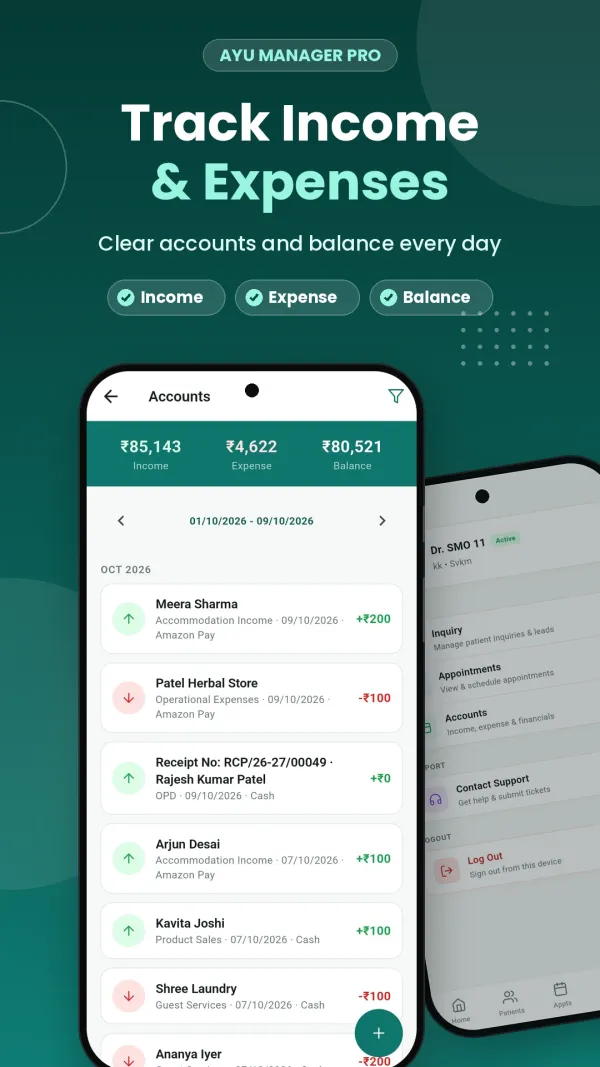
The app uses the same account as the Ayumanager PRO web software. There is nothing to set up separately, and every entry is shared between the phone and the clinic computer.

The doctor. Check the day's list before leaving home. Between patients, see who is next and which therapies are running. In the evening, check the day's collections without calling the front desk.
The receptionist. When a patient calls, search them by mobile number, check their last visit and book the appointment from the phone, even when away from the desk. Record a new inquiry as soon as it comes in, so it isn't lost on a paper slip.
The clinic owner. If you run more than one centre or are often away, the Accounts screen shows income, expenses and balance for any date range, with every entry listed.
Book a demo and we'll show you the web software and the Android app together, with your OPD, Panchakarma and billing set up the way your clinic works.
A phone with clinic software on it holds patient information, so treat it with the same care as the clinic computer:
Good records depend on knowing who did what. Separate logins also help with NABH documentation, where hospitals must show who made each entry.
If you are comparing software, ask each vendor these questions about their mobile app:
Our vendor question checklist covers the rest of what to ask before you buy.
Is there a mobile app for Ayumanager PRO?
Yes. The Ayumanager PRO app is available for Android on Google Play. It is for doctors and clinic staff, and you log in with the same account you use on the web.
Is the app free?
The app is free to download. It works with your Ayumanager PRO account, so you need an active plan or a free trial to log in. There is no separate charge for the app.
Is the data on the app the same as on the computer?
Yes. The app and the web software use the same account and the same records. A patient or appointment added on the phone appears on the clinic computer, and the other way round.
Can patients use this app?
No. The Ayumanager PRO app is built for doctors, receptionists and clinic owners to run the clinic. It is not a patient booking app.
Is there an iPhone app?
The app is currently available for Android on Google Play. On an iPhone, you can use the Ayumanager PRO web software in the phone's browser.
I don't use Ayumanager PRO yet. Can I try the app?
Yes. Start the 30-day free trial on our website, with no advance payment, then install the app and log in with the account you created.
Book a demo and we'll show you how OPD, EMR, Panchakarma, and documentation actually work in the product.